AUDIO WORKSTATION · WINDOWS FIRST · IN DEVELOPMENTFusion Audio Studio is Fusion's audio workstation for people who make music. Record audio and MIDI, write in the piano roll, play VST3 and CLAP instruments, and mix on a console with a channel strip on every channel, sends, buses, surround and a loudness meter on the master. It is in development, and runs today as a development build on Windows.
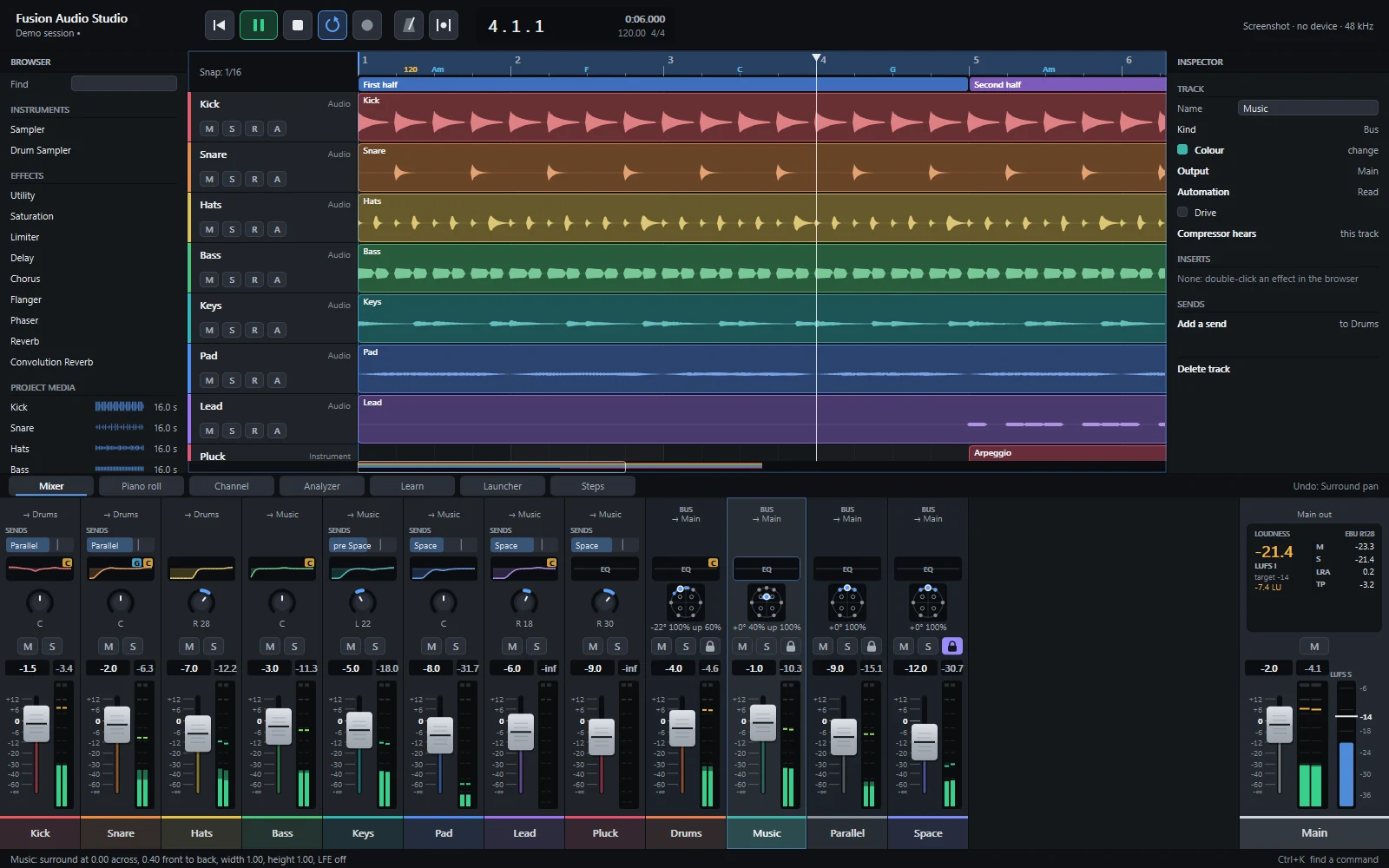
The development build's own picture of its demo session, rendered with no audio device. The buses carry a 7.1.4 mix.
Made for people who work in audio.
Most people who edit video don't mix music, and most people who make music don't edit video. Fusion has a focused product for each, and one that does it all.
Fusion Audio Studio
The audio workstation: recording, MIDI, plug-ins, mixing and delivery.
3D, editing, audio and scripting in one product. It imports Audio Studio projects, with their clips, levels and markers.fusioninteract.cloud →
Record, write and arrange.
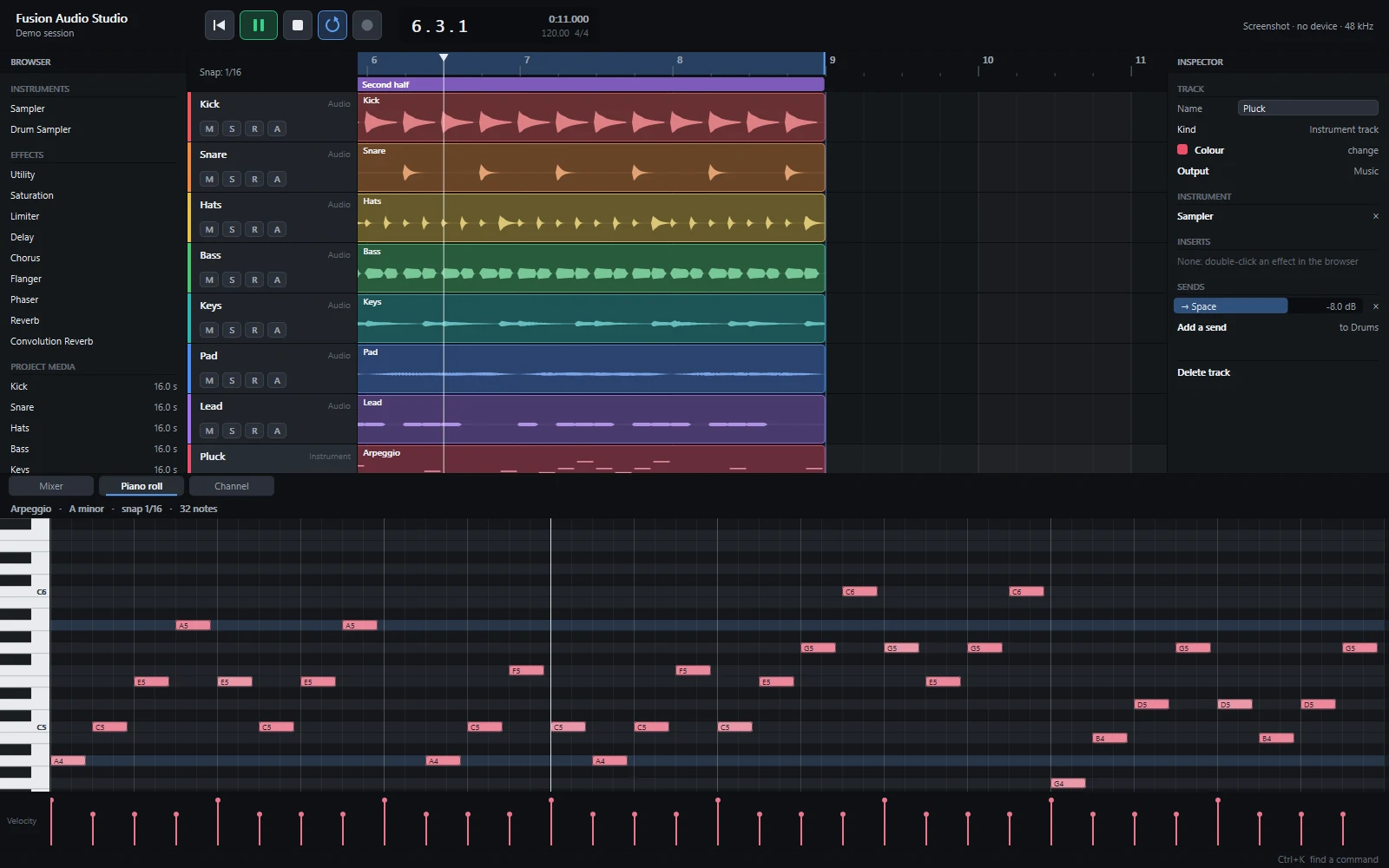
Record audio and MIDI into takes and build the best performance from them, or write it in the piano roll. A tempo map, time signatures, keys and chords sit on the ruler, and sections move the song around in whole bars.The development build's own picture: an arpeggio in A minor in the piano roll, with its velocities.
Takes and comping
IN DEVELOPMENTTake lanes for audio and MIDI, punch in and loop recording, a count-in and a metronome, and the last minute you played kept even when you weren't recording.
Piano roll
IN DEVELOPMENTDraw, paint, slice, mute and erase tools; velocity, chance, controllers, pitch bend and pressure; snap to scale, quantize with strength and swing, and the song's chords shown on their rows.
Tempo, keys and chords
IN DEVELOPMENTA tempo map with ramps, time signatures, key and chord changes, added on the ruler or typed. Sections move and copy in whole bars, and tempo and signatures move with the music.
Audio that follows the tempo
IN DEVELOPMENTFusion's own time stretching and tempo detection, with warp markers that tie a recording to its beats, so it plays in time with the project's tempo map.
Everyday editing
IN DEVELOPMENTCut, copy and paste between projects, slip and linked clips, fades and crossfades, shuffle editing, drag and drop from Explorer, menus, a command palette and shortcut presets you already know.
Keeps your work
IN DEVELOPMENTAutosave, recovery after a crash, named snapshots, and an undo history kept in the project file, so undo still works after you open it again.
A console with a channel strip on every channel.
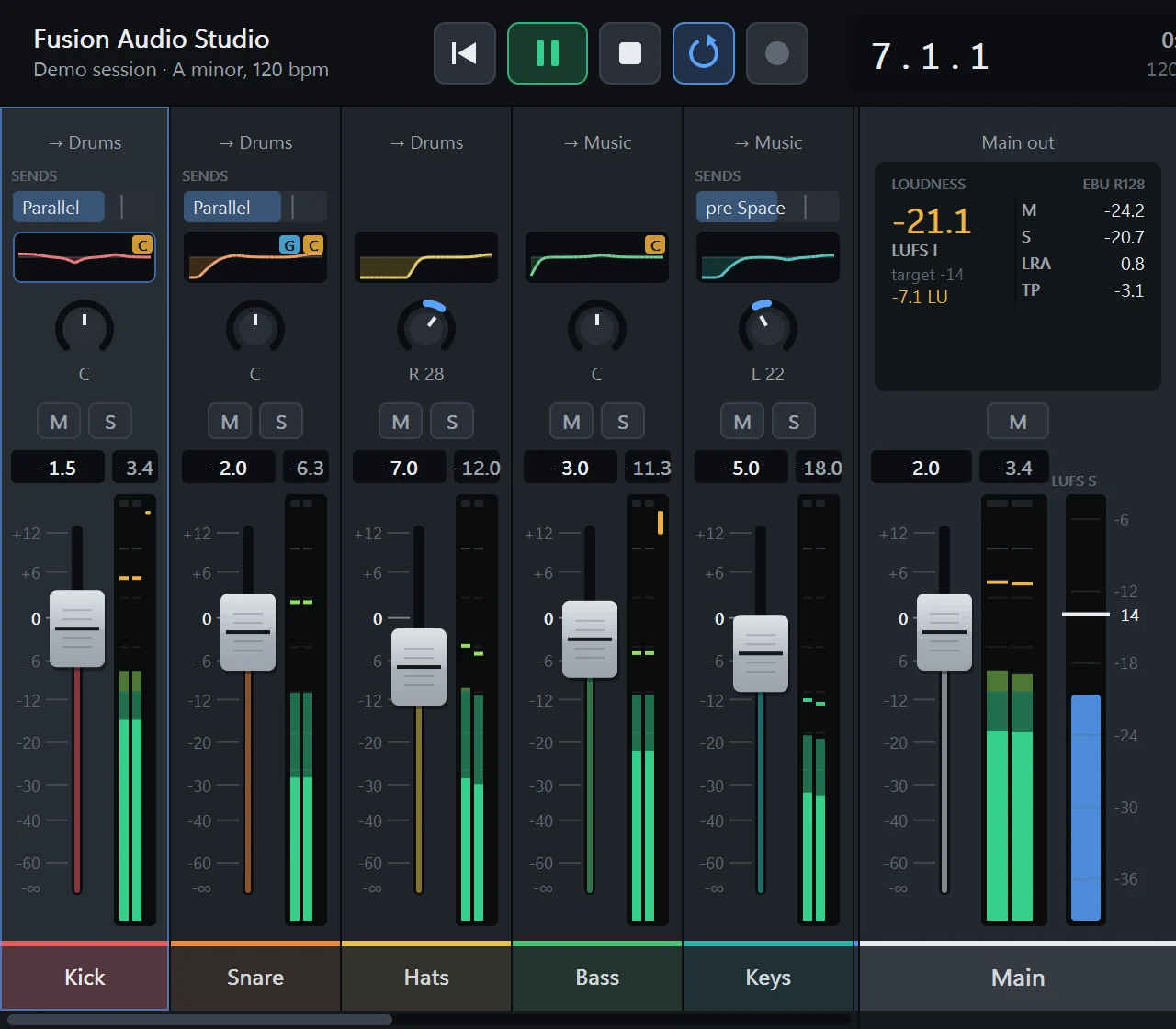
Tracks, buses, groups, VCAs and folders, with sends before or after the fader, sidechains, and delay compensation for every plug-in. Each channel has a high-pass filter, gate, four-band equalizer, compressor and drive built in, and the master shows its loudness against a target.The development build's own picture of its mixer, at twice the size, with the master's EBU R128 loudness against a target.
The channel strip
IN DEVELOPMENTHigh-pass, gate, four-band EQ with a curve you drag, and a compressor that can listen to another track.
Loudness metering
IN DEVELOPMENTFusion's own ITU BS.1770 and EBU R128 meter, with true peak, checked against EBU Tech 3341 and 3342.
Automation
IN DEVELOPMENTFaders, pans, sends, the channel strip and plug-in parameters, written by touch, latch or write, and the same at any buffer size.
Surround and heights
IN DEVELOPMENT5.1, 7.1, 5.1.4 and 7.1.4 mixes, with a panner on each strip, surround buses and inserts, bass management for monitoring, and a fold-down to stereo.
ADM BWF masters
IN DEVELOPMENTImmersive masters as Broadcast WAV with ADM metadata, checked with the EBU's renderer.
Control surfaces
IN DEVELOPMENTMackie Control and HUI over MIDI, and OSC from a phone or tablet on your own network. Not yet tried with a real surface.
Your plug-ins, and Fusion's own.
Fusion Audio Studio hosts VST3 and CLAP instruments and effects with its own host code. Plug-ins are scanned in a separate process, so one that crashes doesn't stop the scan, and can run in a process of their own or a shared sandbox, so one that crashes doesn't take the session with it.
VST3 and CLAP
IN DEVELOPMENTInstruments and effects with their own windows, parameters and state, sidechains, extra outputs, MPE and ARA 2. A plug-in manager lists what was found, what couldn't be used and why, and what you've blocked.
Fusion's devices
IN DEVELOPMENTUtility, saturation, limiter, delay, chorus, flanger, phaser, reverb and convolution reverb, a sampler and a 16-pad drum sampler, a spectrum analyzer and a tuner, with no outside code.
Fusion's instruments
IN DEVELOPMENTFusion Synth, Keys, Bass, Guitar, Drums and Voice load and play in Audio Studio as plug-ins, each also a standalone app.Fusion Synth →
Clip launcher and steps
IN DEVELOPMENTLaunch clips and scenes, write patterns in a step editor with swing, and modulate with rack knobs and modulators.
Freeze and bounce
IN DEVELOPMENTFreeze a heavy track, or bounce clips and ranges in place, through the clip, the track or the whole channel.
An assistant
PLANNEDHelp with a mix in plain language, through Fusion AI or the AI provider you choose. Every change it makes is shown first and can be undone.
Works with the rest of your studio.
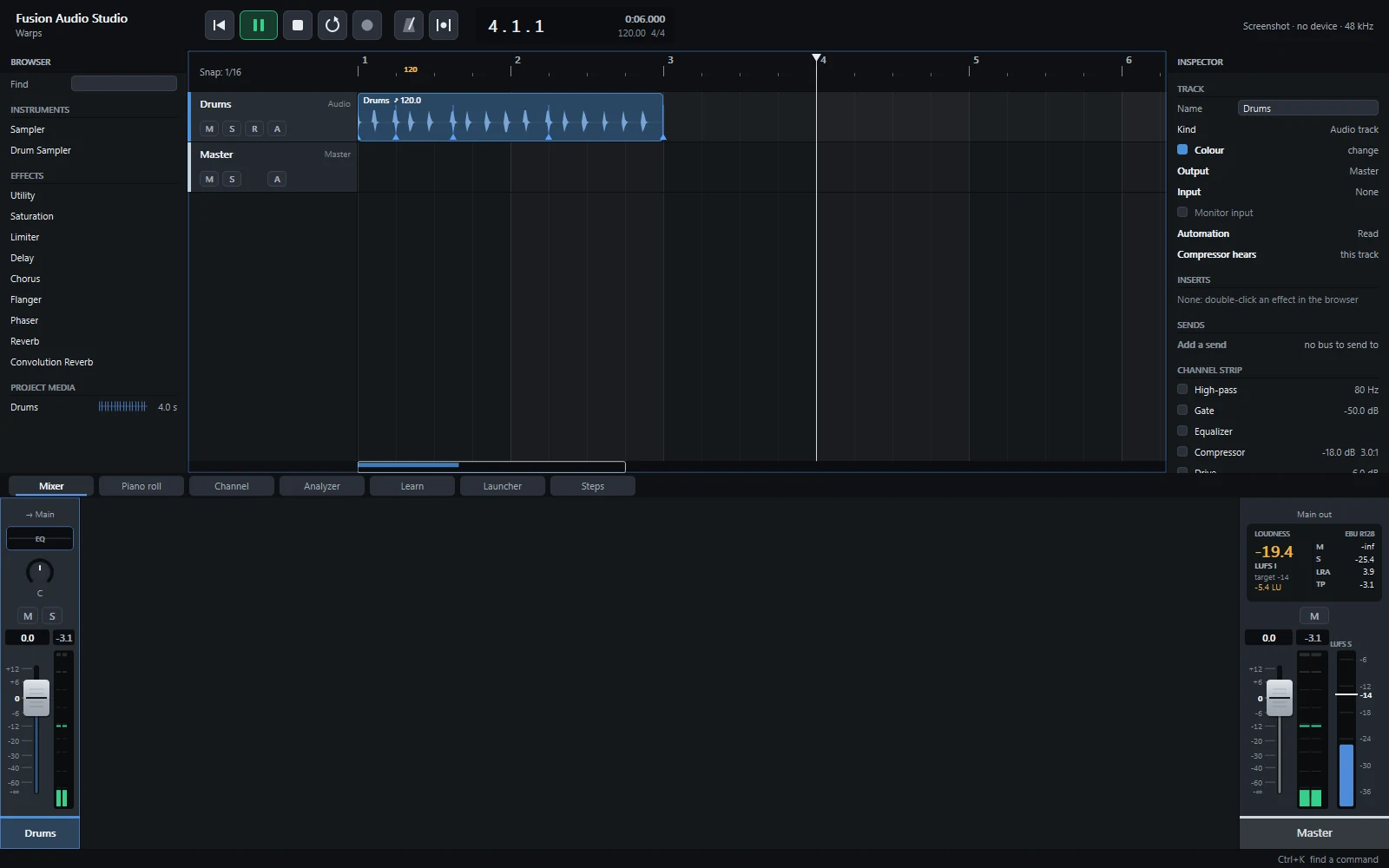
Bring sessions in from other workstations and send them back out, deliver mixdowns and stems, and import a mix setup from another project with a report of anything that can't come across. Nothing is dropped silently, and imports never change the originals.The development build's own picture: warp markers on a drum loop, tying its hits to the beats.
DAWproject and AAF
IN DEVELOPMENTDAWproject, the open session format, in and out, and AAF in and out for post-production. AAF files are checked with an independent reader; neither has yet been tried in another workstation.
Mixdowns and stems
IN DEVELOPMENTMixdowns as WAV or FLAC at 16, 24 or 32-bit float, and as MP3 or AAC through Windows; stems as WAV; a render queue.
Audio and MIDI files
IN DEVELOPMENTWAV and RF64, AIFF, FLAC, MP3 and AAC come in; MIDI files in and out; song documents from Fusion Music Analyzer, with stems and a part per instrument.
One audio engine across Fusion.
Fusion Audio Studio is where Fusion's real-time audio engine is built: a C++ library of its own that Fusion Interact and Fusion Player are to share, so a mix sounds the same in all three. Its WebAssembly build already matches the native one to the last bit on shared test vectors, and runs in a browser.
Built for real time
IN DEVELOPMENTNothing on the audio thread waits, allocates or touches the disk. Rendering offline goes through the same code as playing live, so they match sample for sample.
Low-latency audio
IN DEVELOPMENTWASAPI and ASIO on Windows, measured round trips, and tracks you aren't playing rendered ahead to leave room for the ones you are.
The same sound everywhere
IN DEVELOPMENTA WebAssembly build for Fusion Player in the browser, checked against the same vectors as Windows. Fusion Player hasn't taken it up yet.
Built in steps.
Fusion Audio Studio is written in C++. Its first version is for music production, on Windows first, then Fusion OS, then Android phones and tablets.
1 · Windows
IN DEVELOPMENTEverything on this page works in the development build on Windows. Most has been tested in code rather than by people at the window with real audio interfaces, and that comes next.
2 · Fusion OS
PLANNEDThe same studio on Fusion OS, with low-latency audio through Fusion OS's own audio services.
3 · Android
PLANNEDA version for Android phones and tablets.
Fusion Audio Studio is in development.
It has not been released, and no editions, prices or release date are set. The pictures on this page are the development build's own, rendered without an audio device. Follow its progress, and the rest of the Fusion portfolio, on fusionsoftware.cloud.Fusion Audio Studio on fusionsoftware.cloudFusion Audio Studio · Fusion Software LLC · 2026Fusion InteractFusion SynthAll productsFusion Software